Someone discovering a restaurant online usually isn’t looking for a complicated digital experience. They often want a few answers quickly: what the restaurant offers, where it is, when it is open, what the menu looks like, and how to reserve or get in touch.
A good restaurant website makes those answers easy to find. It does not need dozens of pages or complex technology. It needs clear information and an obvious next step.
1. A clear restaurant homepage
The first screen should communicate the essentials without forcing visitors to dig. At a glance, people should understand the restaurant name, the type of place it is, and a strong visual impression of the food or atmosphere.
Useful homepage elements often include:
- Restaurant name
- Type of restaurant / positioning (for example casual dining, café, or fine dining)
- A strong visual first impression
- Location or area
- One clear primary action
Primary actions might be View Menu, Reserve a Table, Get Directions, or Contact. Hierarchy matters. Putting every possible button above the fold can make the page feel noisy. Choose the action that best matches how guests usually decide to visit.
2. A menu that is easy to access
The menu is one of the most important parts of a restaurant website. Guests should not have to hunt for it. A visible Menu link in the navigation and a clear call to action on the homepage usually help.
A properly designed web-based menu is usually easier to browse on a phone and easier for search engines to understand. Categories, dish names, short descriptions, and prices can sit directly on the page.
A downloadable PDF can still be useful as a secondary format — for printing, sharing, or offering a familiar layout. The trade-off is that PDFs can be harder to scan on small screens and less flexible for updates. Many restaurants do well with an HTML menu as the primary experience and an optional PDF where it adds value.
Where relevant, dietary or allergen notes can help guests make decisions. Keep that information accurate and clear. Legal requirements vary by location, so the website should reflect the restaurant’s actual practices rather than copy generic claims.
3. Opening hours
Opening hours answer a simple question: “Can I go today?” If hours are buried, people may leave and check another source — or choose a different restaurant.
Good places to show hours include the homepage, a contact or location section, and the footer where it remains easy to find. Keep the information consistent with external profiles such as Google Business Profile, so guests do not see conflicting times.
4. Location and directions
A full address should be easy to find. Nearby context can help when the restaurant is not on a well-known street. Public transport or parking notes are useful only when they are genuinely helpful for your guests.
A simple directions link is often enough. Embedding a heavy map on every page is not always necessary. A lighter approach can keep the page faster and avoid loading third-party map scripts until someone actually needs directions.
5. Reservation or contact path
Once someone likes the menu and location, the website should make the next step obvious. That path depends on how the restaurant operates.
- Online reservation system
- Phone number
- Contact form
- External booking platform
Not every restaurant needs a full reservation system on its own website. Some work better with a clear phone CTA. Others use an external booking tool — in that case, the button should still be obvious and lead guests there without confusion.
6. Mobile-first usability
Restaurant decisions often happen on a phone — before leaving home, on the way, or while comparing options. The website should feel comfortable in that context.
Focus on a readable menu, large tap targets, fast loading, simple navigation, and visible contact or reservation actions. Avoid horizontal overflow and tiny text that forces pinch-zooming. If the menu is hard to use on mobile, many visitors will not stay long enough to decide.
7. Real restaurant photography
Photos help guests understand what the place feels like. Useful images often include food, the interior, the atmosphere, and the exterior when it helps with recognition.
Generic stock photos that do not represent the actual restaurant weaken trust. Real photography is usually more persuasive, even when it is not studio-perfect.
At the same time, visuals should not slow the site down. Use appropriate dimensions, modern formats where suitable, compression, and lazy loading for images below the fold. The goal is a strong visual impression without a heavy, sluggish page.
8. Basic local search foundations
A restaurant website can support local visibility when essential information is clear, consistent, and technically accessible. Practical foundations include:
- Clear restaurant name
- Address
- Opening hours
- Relevant page titles and descriptions
- Crawlable content (not only images or locked PDFs)
- Consistency with Google Business Profile
- Structured information where appropriate
- Mobile usability and solid performance
These foundations do not guarantee local rankings. Google Business Profile is valuable, but it is not the same thing as a complete SEO and visibility strategy. A useful website plus accurate local business information is a stronger starting point than either one alone.
9. Social media is useful — but it is not the same as owning a website
Instagram and other platforms are useful for discovery, updates, and day-to-day communication. Many guests find restaurants there first.
A website still adds something different: owned presentation, structured information, stable URLs, pages that search engines can access more reliably, and greater control over the customer journey. It becomes a central destination for the menu, contact details, hours, and reservations.
Social media and a website work best as complementary channels — not as replacements for each other.
10. Performance without sacrificing the restaurant’s visual identity
Restaurant websites benefit from strong visuals. Performance work should not mean removing all photography or personality.
Instead, compress assets, serve appropriate sizes, lazy-load content below the fold, avoid unnecessary scripts, use video carefully, reserve image dimensions to reduce layout shift, and keep interactions lightweight. Good website design and development balances atmosphere with a site that still feels fast on a phone.
A practical restaurant website checklist
- Clear restaurant identity
- Menu that is easy to find and browse
- Opening hours
- Address
- Directions
- Reservation or contact method
- Mobile-friendly navigation
- Real photography
- Fast loading
- Basic search metadata
- Google Business Profile consistency
- Privacy / legal information where applicable
Examples from real restaurant website projects
These projects focus on clear digital presentation and usable restaurant information — not on invented traffic or reservation claims.
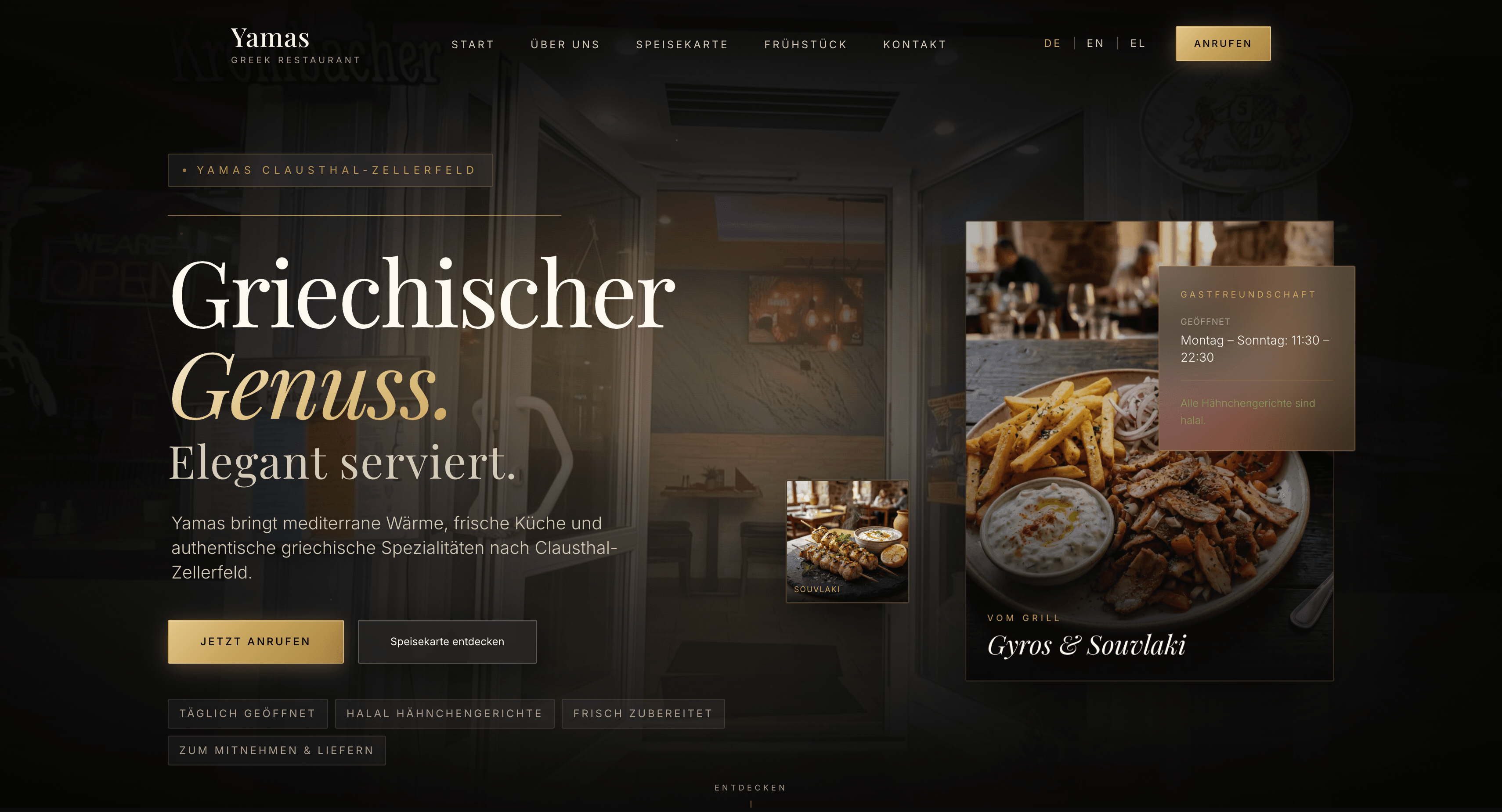
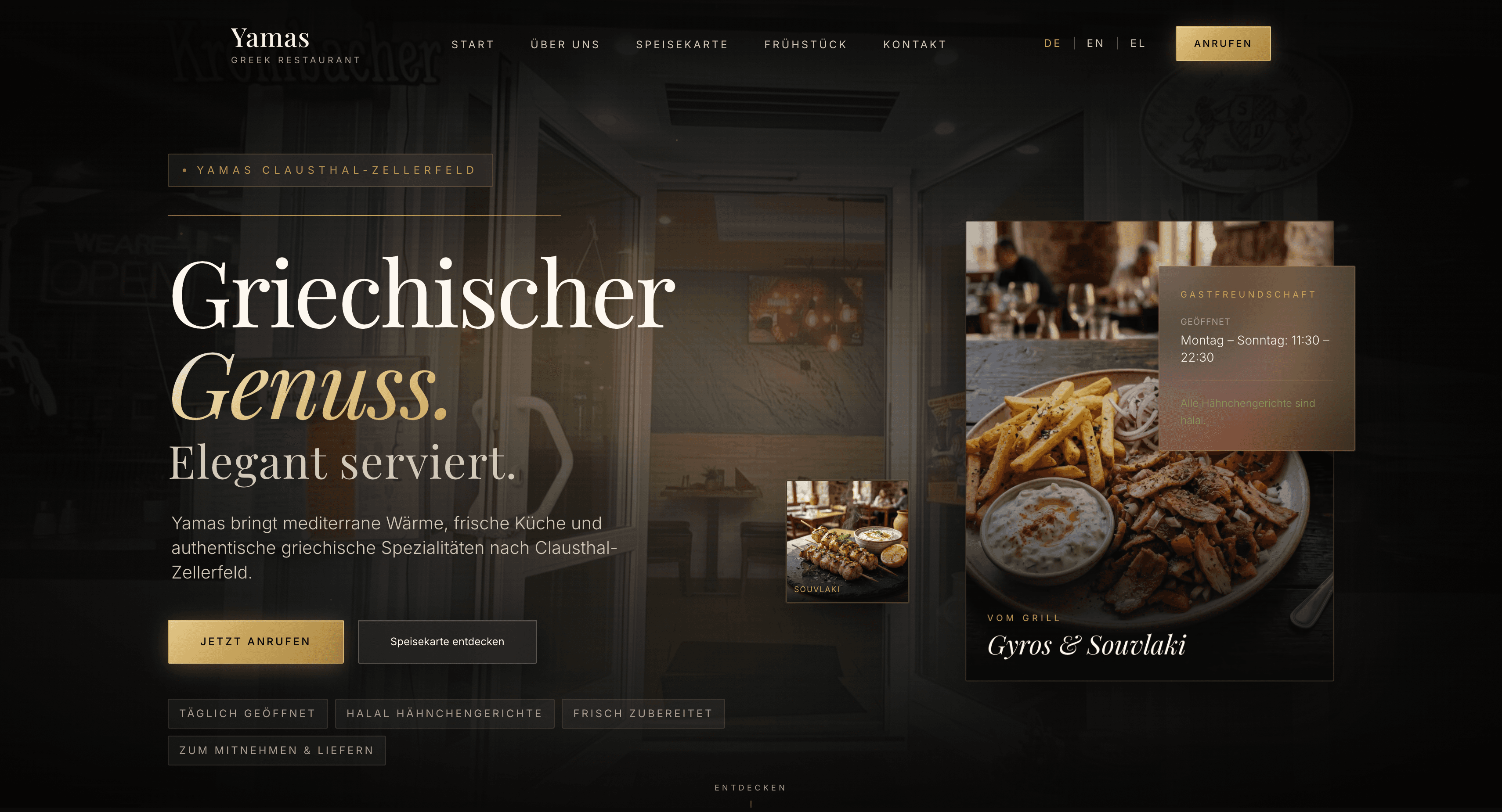
Yamas Restaurant
Yamas Restaurant is a restaurant website project built around presenting the venue, menu, and essential guest information clearly.
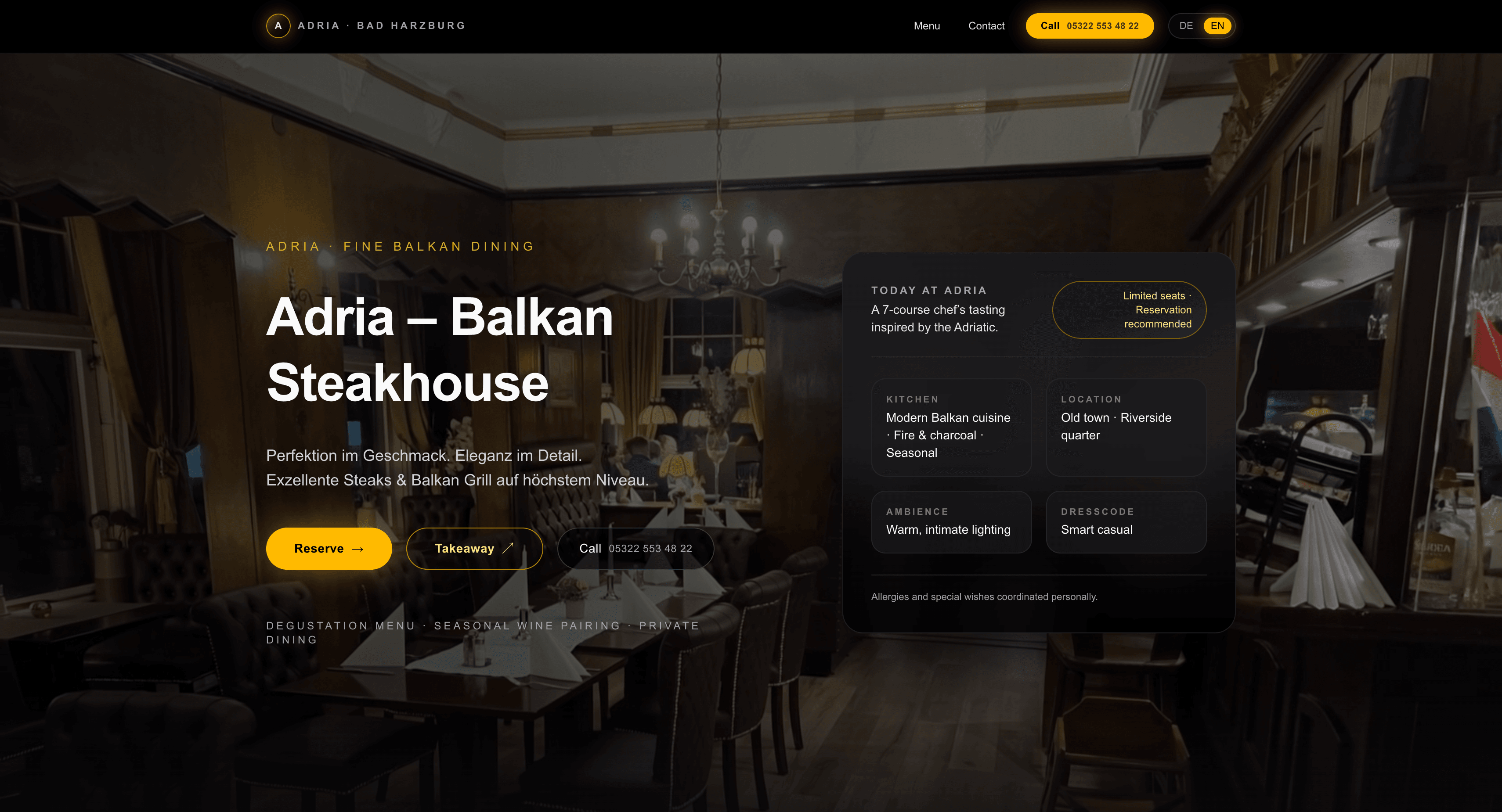
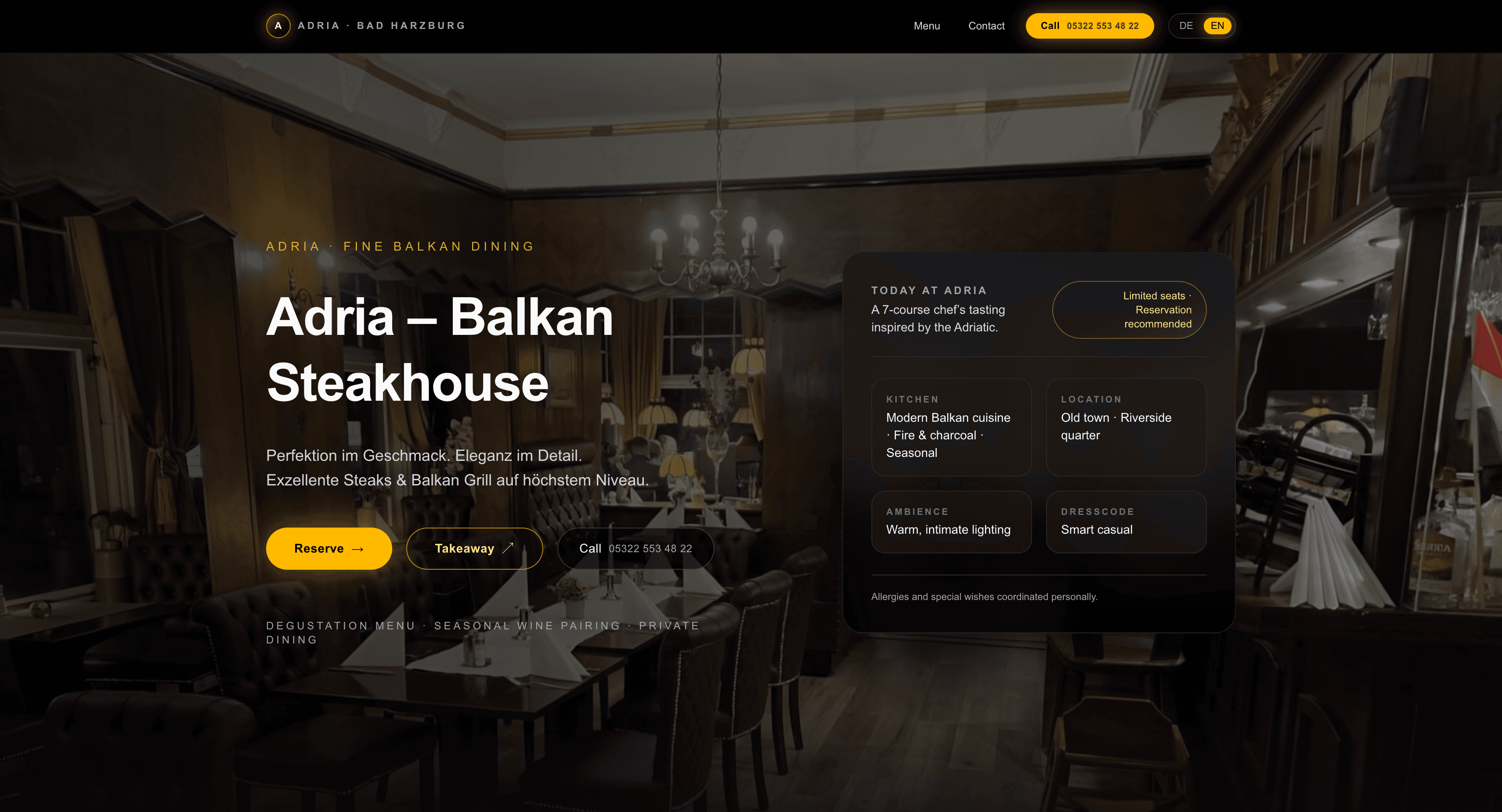
Adria Restaurant
Adria Restaurant is another restaurant website project focused on clear presentation and practical guest information.
What does a restaurant website actually need?
A restaurant website does not need dozens of pages or complicated technology. It should make the important information easy to find and make the next action obvious.
A smaller, focused website can be more useful than a larger site with poor hierarchy. When guests can understand the offer, check the menu, find the location, and contact or reserve without friction, the website is doing its job.
Frequently asked questions
Does every restaurant need a website?
Not every restaurant has the same needs. Still, an owned website gives the business a stable place to present essential information and support search discovery alongside platforms such as Google and Instagram.
Should a restaurant menu be a PDF?
A PDF can be useful as a downloadable option. A mobile-friendly web menu is often easier to browse and maintain as the primary experience.
Does a restaurant website need online reservations?
Not necessarily. The correct booking path depends on how the restaurant operates. A phone number, an external reservation platform, or a direct booking system can all be appropriate.
How much does a restaurant website cost?
Cost depends on scope: number of pages, menu complexity, content, photography, reservation integrations, languages, and other functionality. There is no single fixed price that fits every restaurant.
Can a restaurant website help with Google visibility?
A technically accessible, useful, and well-structured website can provide a stronger foundation for search visibility — especially when combined with accurate local business information and ongoing SEO work. Rankings cannot be guaranteed.